5.4 Copy outputs from command-line window to clipboard
Sometimes the output of Multiwfn in command-line windows needs to be stored permanently or loaded to third-part softwares via plain text file. Here I describe how to copy these outputs to Windows clipboard.
If you are using Windows 11, you just need to hold “ALT” key and use left mouse button to drag a rectangle region in the window, then press ENTER button, the content in the region will be copied to clipboard.
If you are using older Windows version, you need to follow the steps shown below. Assuming that you want to copy Hessian matrix of electron density.
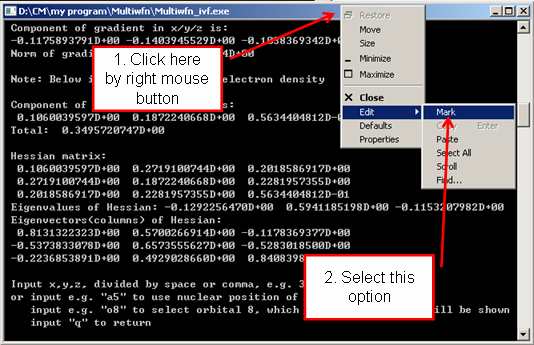
After you select "Mark", drag left mouse button from point A to point B
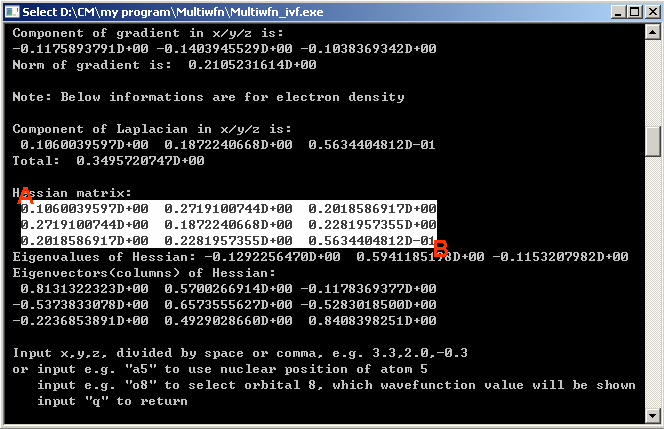
Then press ENTER button, the information highlighted by white rectangle will be copied to clipboard, you can paste them to anywhere, such as plain text file.
For MacOS or Linux system running in graphical environment, you can also copy the output of Multiwfn from console to plain text file by similar manner.