4. Plotting IRI-π isosurface map for thiophene
To plot IRI-\(\pi\), especially for non-planar systems, usually we need to first perform orbital localization first to yield localized molecular orbitals (LMOs), and then let Multiwfn automatically identify LMOs of \(\pi\) type, then remove occupation of all other LMOs. After that, if we plot IRI isosurface map, we will obtain isosurface map of IRI-\(\pi\). In this section, thiophene is employed as an example. Note that in order to use orbital localization function in Multiwfn, the input file must contain basis function information, such as .fch/fchk, .mwfn and .molden (see Section 2.5 of Multiwfn for detail).
Boot up Multiwfn and input:
thiophene.fchk
19 // Orbital localization analysis
1 // Localize occupied orbitals
100 // Other functions (Part 1)
22 // Automatically detect π orbitals
-1 // The current orbitals are in localized form
0 // Detect π orbitals and then set occupation numbers now
2 // Set occupation number of all other orbitals to zero
0 // Return to main menu
100 // Other functions (Part 1)
1 // Draw scatter graph between two functions and generate their cube files
1,24 // Calculate ρ and IRI
3 // High quality grid
3 // Output cube files to func1.cub and func2.cub in current folder
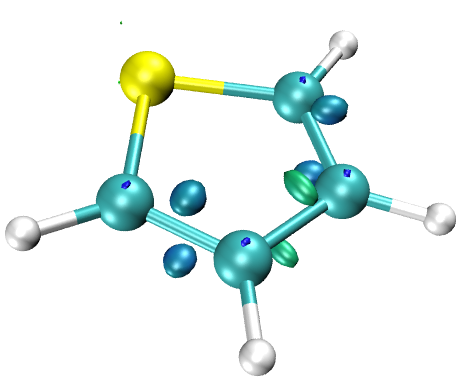
Move the "func1.cub" (\(\rho\)) and "func2.cub" (IRI-\(\pi\)) as well as the "IRIpifill.vmd" script in "examples" folder of Multiwfn binary package to VMD installation folder, then boot up VMD and input source IRIpifill.vmd in VMD console window to execute the script, you will see the following map in VMD
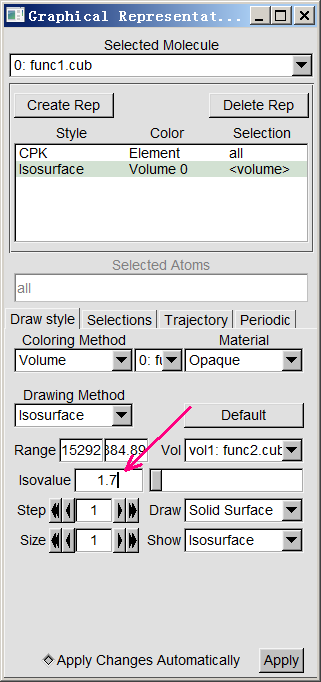
Then we can change the isovalue to 1.7. Enter "Graphics" - "Representation" panel, input 0.7 in "Isovalue" box and press ENTER button.
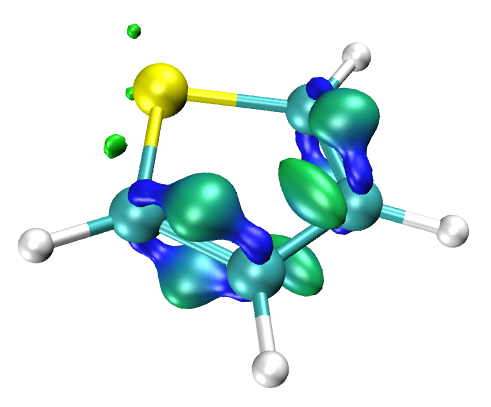
Now the graph has been changed to
It is suggested to export the current wavefunction (\(\pi\) wavefunction) to a wavefunction file, so that we do not need to redo the orbital localization and \(\pi\) orbital detection again when we perform IRI-\(\pi\) analysis next time. So, we enter main function 100 and choose subfunction 2, select corresponding option to export the current wavefunction to "thiophene-pi.mwfn".
More illustrations and discussion of the function of automatic detection of \(\pi\) orbitals in Multiwfn can be found in Section 4.100.22 of Multiwfn manual.